Skip to content
Free · Any site · Video calls built in

An online watch partythat feels like the same sofa.

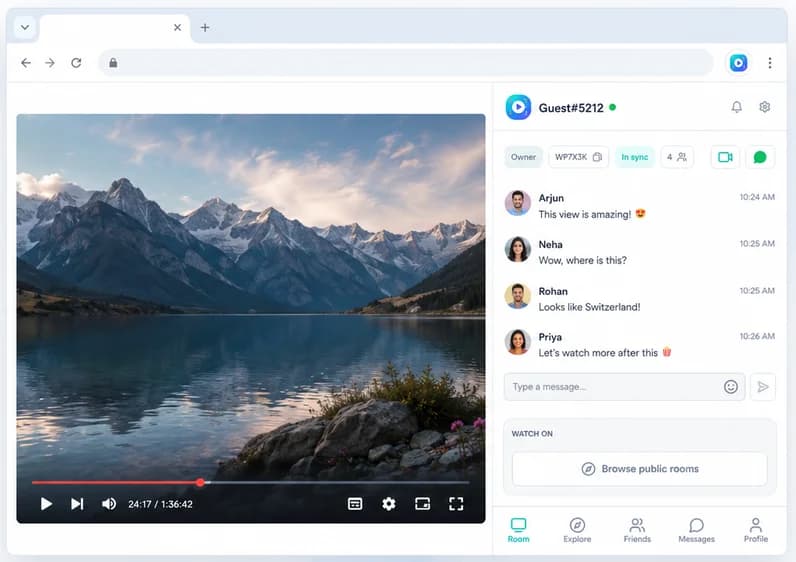
Press play once and the video plays for everyone, wherever they are. See each other on a free group call, chat over the movie, and react to the big moments.

Add to Chrome, it's free
  • Free
  • No account needed
  • Desktop Chrome
Watch Party side panel open next to a video, with the room chat and in-sync status

Works on

  • YYouTube
  • NNetflix
  • TTwitch
  • PPrime Video
  • DDisney+
  • HHulu
  • + any site with a video

How to start

  1. 1

    Add the extension

    Everyone adds Watch Party to desktop Chrome. Free, no account needed.

  2. 2

    Open a video

    Any site with a standard video player: streaming services, YouTube, anime, lectures.

  3. 3

    Create a party

    Click the icon, press Create Watch Party, and share the room code.

  4. 4

    Watch together

    Press play, start the call, and everyone stays in sync.

What you get

Free group video call

See and hear everyone beside the video. No second app, no paid plan.

Real sync, not a screen share

Everyone streams the video themselves, so it's full quality for every person.

Any site with a video

Netflix, YouTube, Twitch, anime sites, lectures: if it has a standard player, it works.

Up to 500 people

The host sets the room size. Keep it private or open it to the public in Explore.

Chat and reactions

Comment without talking over the dialogue, and react together in real time.

Free, no account

Guests join with a room code. Google sign-in only adds friends and messages.

Two ways to watch online, and why sync wins

Most tools work one of two ways. Shared-room tools play one browser or player and stream it to everyone. Sync tools like Watch Party let everyone play the video on their own account, and keep play, pause and seek in step. Sync means full quality for every person and no black screen on protected services. The trade-off: everyone needs access to what you're watching. Compare the tools in Teleparty alternatives.
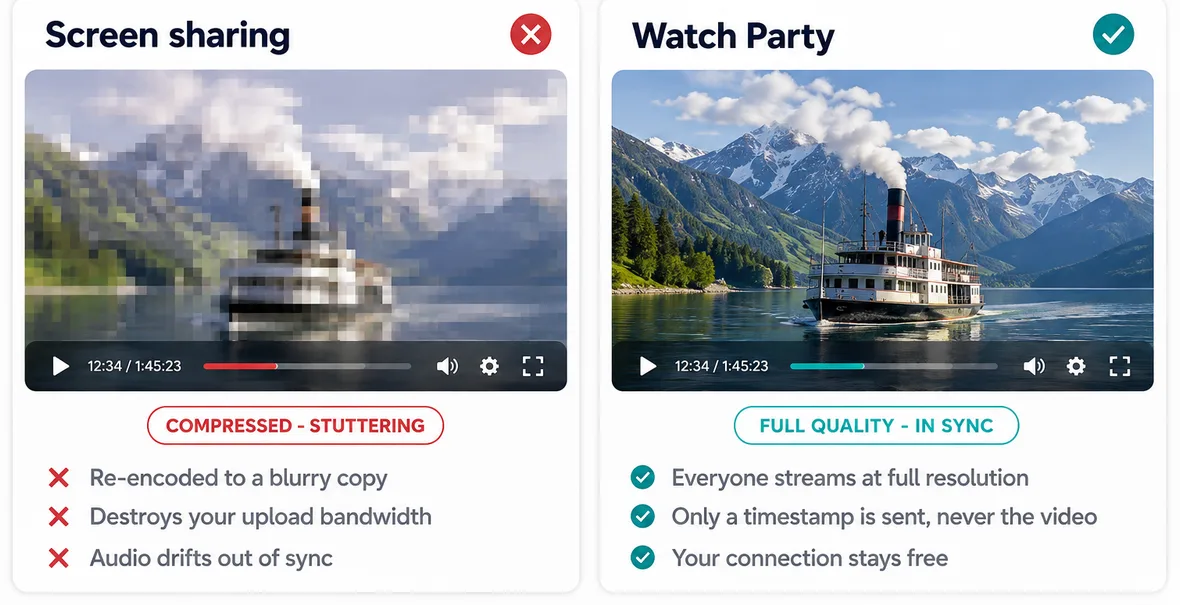
Everyone watches in full quality because the video isn't screen-shared
Synced playback keeps full quality for everyone; a screen share sends a compressed copy

Plan the party

Pick the video, check everyone can play it, set a time, and send the room code ahead. The watch party guide covers themes, snacks and games, and how it works shows every click. New to the idea? Read what a watch party is. Watching on YouTube? See 4 ways to watch YouTube together.

Teleparty is a trademark of its owner. Watch Party is independent and isn't affiliated with or endorsed by it.

Frequently asked questions

Does any streaming service still have its own watch party?

Several services dropped theirs: Disney+ GroupWatch ended in 2023 and Prime Video's Watch Party feature was removed later. That's why most people now use a separate watch party tool that works across services.

How can two people watch a movie online together?

Both open the same movie on your own accounts in desktop Chrome, use a watch party extension to keep it in sync, and start a video call so you can see each other.

What do I need for an online watch party?

Desktop Chrome, the free Watch Party extension and access to the video for everyone. On subscription services, each person needs their own account.

Press play once. Everyone watches together.

Synced playback, live chat and video calls, free in Chrome.

Add to Chrome, it's free